Preferences
From preferences dialog you can tweak Misura™ user interface (or client-side) configuration. They are related to the computer running a Misura™ client and will not be saved on any instrument.
The first entry, ConfigurationFile, is the location where Misura™ stores its configutaion’s details.
Everytime you change something, you should press Save to ensure that all changes have been saved.
The Reload button allows you to reload the configuration if, for example, something went wrong after a change.
Open button shows a dialog to locate and load another existing configuration.
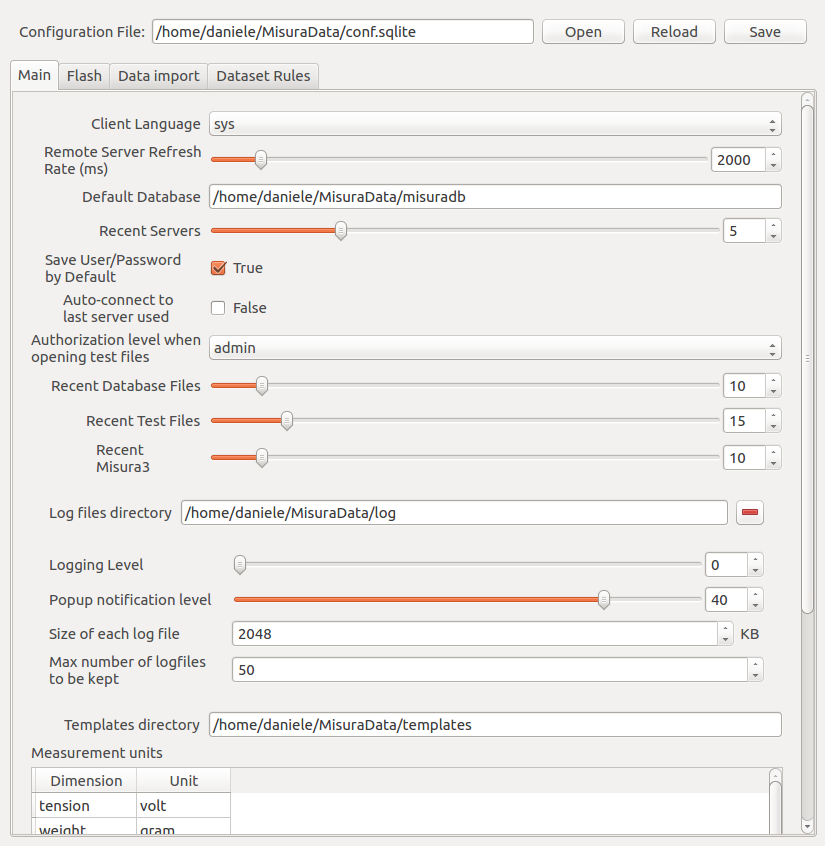
Main Tab
The Main tab contains general configuration options.
Client Languageallows to select the interface languageRemote Server Refresh Rate (ms)lets you change the frequency, in milliseconds, of data update from server, if you are connected to a server (in an offline environment, you can ignore this option)Default Databaseis the location of the default tests database (see Database Indexes)Auto-download finished tests: when connected to a server, this option defines if a test should be downloaded locally or not when it finishes.Recent Serversis the number of recent servers to be rememberedSave User/Password bu Defaultdefines if, when connecting to a server, the password should be saved or notRecent Database Files: the number of databases to remember in the list of last used databasesRecent Test Files: the number of tests to remember in the list of last opened testsRecent Misura3 Databases: the number of Misura™ 3 databases to remember in the list of last opened Misura™ 3 databasesLog files directory: the location to place log filesLogging level: from 0 to 50, defines the amount of logging (0 -> notheng, 50 -> everything)Size of each log file: the size of a log file, after which, the log file is archivedMax number og logfiles to be kept: when the number of log files exeeds this number, the oldest log file is deletedMeasurement units: a table that defines, for every Misura™ dataset, its unit
Misura 3 Tab
This tab contains only the Enable Misura 3 database interface flag, that enables/disables Misura™ capabilities to import Misura™ 3 databases.